 CephaloPOS
Run the whole dive centre from one screen.
CephaloPOS takes a diver from the first booking to the paid invoice: who is diving where, whether the paperwork and the kit are in order, what is in the cylinder, and what it all costs. It is built for technical diving as well, with blending, gas plans and rebreather supplies as part of the system, not an afterthought.
The demo runs on invented data that resets every night. Request a login and we will be in touch.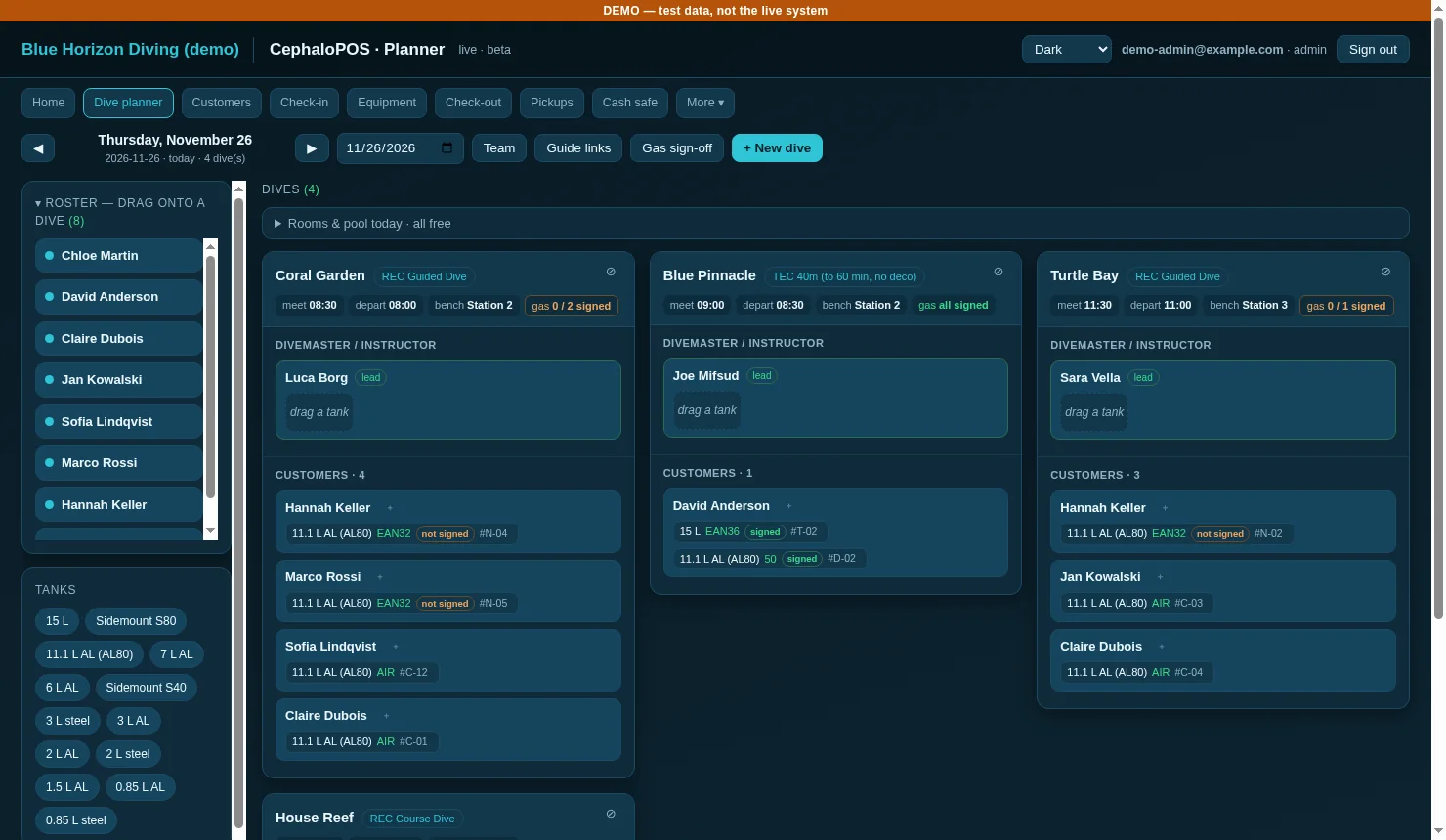
Technical diving, properly
Most dive software stops at air and nitrox. CephaloPOS follows a trimix or rebreather diver from the gas request, through the blender and the cylinder bank, to a signed-off mix in their hands.
Gas plans for open circuit and CCR
Each diver lists their gases per tank: backgas or diluent, up to four deco or bailout gases, and CCR oxygen. Tank sizes, tank counts and "no refill" flags are part of the plan.
Density, ppO₂, END and depth limits
Every gas is checked as it is entered, with warnings for ppO₂ and gas density and the depth limits worked out for you. Oxygen is counted as narcotic when END is calculated.
Bring the dive plan with you
Paste or import a plan from MultiDeco, Subsurface, Baltic Deco or a CSV, with runtimes, gases and CCR setpoints, so nobody retypes it.
Blender for trimix, nitrox and oxygen
Gas requests arrive with the blend to make. The blender works out the helium, oxygen and air to add by partial pressure for the target mix and fill pressure, in the order you fill: helium, then oxygen, then air.
Analysed, signed, printed
The analysed O₂ and helium are recorded for each tank, and the diver signs for each gas from a link before the dive. The signed gas sheets print from Reports.
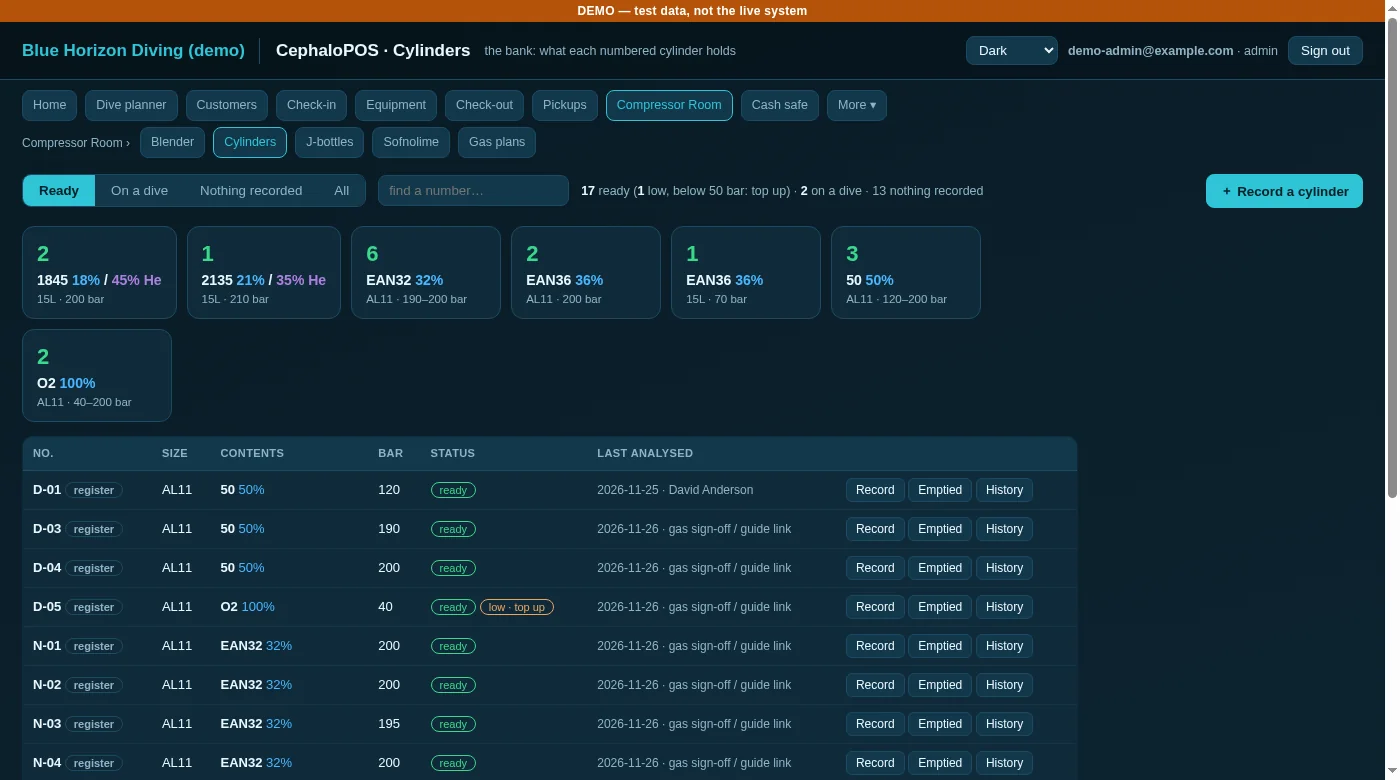
A numbered cylinder bank
Every cylinder has a number, a size, and a status: ready, on the dive or empty. It records what mix it holds, the pressure in and out, and its full history, with hydro and visual dates tracked per cylinder.
Helium and oxygen J-bottles
Large supply bottles tracked in litres, with the ones in use marked, a weekly check schedule and an audit log, so you know what is left before the blend, not during it.
CCR absorbent and supplies
Sofnolime stock by container, sealed or open, with the amount remaining, expiry warnings, and kilograms deducted as it is sold through the till.
One screen for the gas team
Gas plans to fill, cylinders, supply bottles and absorbent in one place. Boosted fills are billed at the boosted price.
What it checks while you plan
| Gas | At | ppO₂ | Density | END |
|---|---|---|---|---|
| Trimix 21/35 | 45 m | 1.16 | 5.0 g/L | 26 m |
| EAN50 (deco) | 18 m | 1.40 | 3.7 g/L | 18 m |
| Oxygen (deco) | 6 m | 1.60 | 2.3 g/L | 6 m |
Illustrative values. Warning levels are set for ppO₂ and density; amber means look again before you commit to the gas.
And the rest of the dive centre
Built around the day-to-day of boats, classes and compressors, not around a generic shop.
Dive planner and calendar
Boats, sites, guides, instructors and groups on one planner. Move a diver, change a site or add a boat and everything downstream follows.
Check-in with a gate
Divers fill in their details, medical questions and release online before they arrive. Check-in will not let a diver through with the paperwork missing.
Equipment and compliance
Hire kit assigned per diver and returned at the end of the day. Services such as hydro and visual inspections are tracked per item, with a warning before they fall due.
Gas, cylinders and the compressor room
From air and nitrox fills to full technical blending, with every cylinder numbered and tracked. See the technical diving section above.
Check-out and invoicing
Dives, courses, equipment, deposits and supplements priced from your own price lists onto one invoice. Quotes, deposit receipts, cash and card, in several currencies.
Reports
Daily plan and boat lists, takings, staff wages, gas sheets, logbooks and permission lists. Printable, and exportable to Excel.
Customers and CRM
One record per person: certifications, logbook, trips, quotes, invoices and notes. Course and booking requests land in an inbox for staff to approve.
Customer portal
Divers sign in to see their own logbook, certifications, quotes and invoices, and nothing else. Built so they can never reach another customer's data.
Retail till and cash safe
A till for the dive shop with receipts, and a cash safe that tracks what goes in and out and who signed for it.
Staff, wages and access
Pay by role and dive, with admin, staff and read-only logins. Everything that changes is recorded with who did it.
Regulator reporting
Where your authority requires it (for example CDWS in Egypt), the exports and permission lists are produced from the same data. Elsewhere, switch them off.
Yours, and backed up
Your data in a database you control, with scheduled backups. Works in a browser on the front desk, a laptop on the boat or a tablet.
A day at the centre
The same record follows a diver all the way through, so nobody types anything twice.
- BookA quote or a booking goes on the planner, with a deposit if you want one.
- PrepareThe diver completes their form online. Kit and gas are assigned.
- Check inPaperwork is checked, kit is handed out, the group is confirmed.
- DiveBoat lists, gas sheets and permissions are printed for the day.
- Check outKit comes back, cylinders are logged, one invoice is paid.
- ReportTakings, wages and logbooks are ready at the end of the day.
See it with your own eyes
The demo is the full system with an invented dive centre in it: staff, customers, three days of diving, hire kit and cylinders.
- Open the planner and click into a dive
- Check a diver out and see the invoice
- Browse the equipment register and the cylinder bank
- Look at a technical diver's gas sheet and the cylinder bank
Send us a few details with the button and we will be in touch with a login for the demo.
The demo is rebuilt every night, so you cannot break it. Anything you change disappears.
Run a dive centre? Let's talk.
Tell us how your centre works and we will show you how CephaloPOS handles it.
info@cephalopos.com